
Multi-chain assets
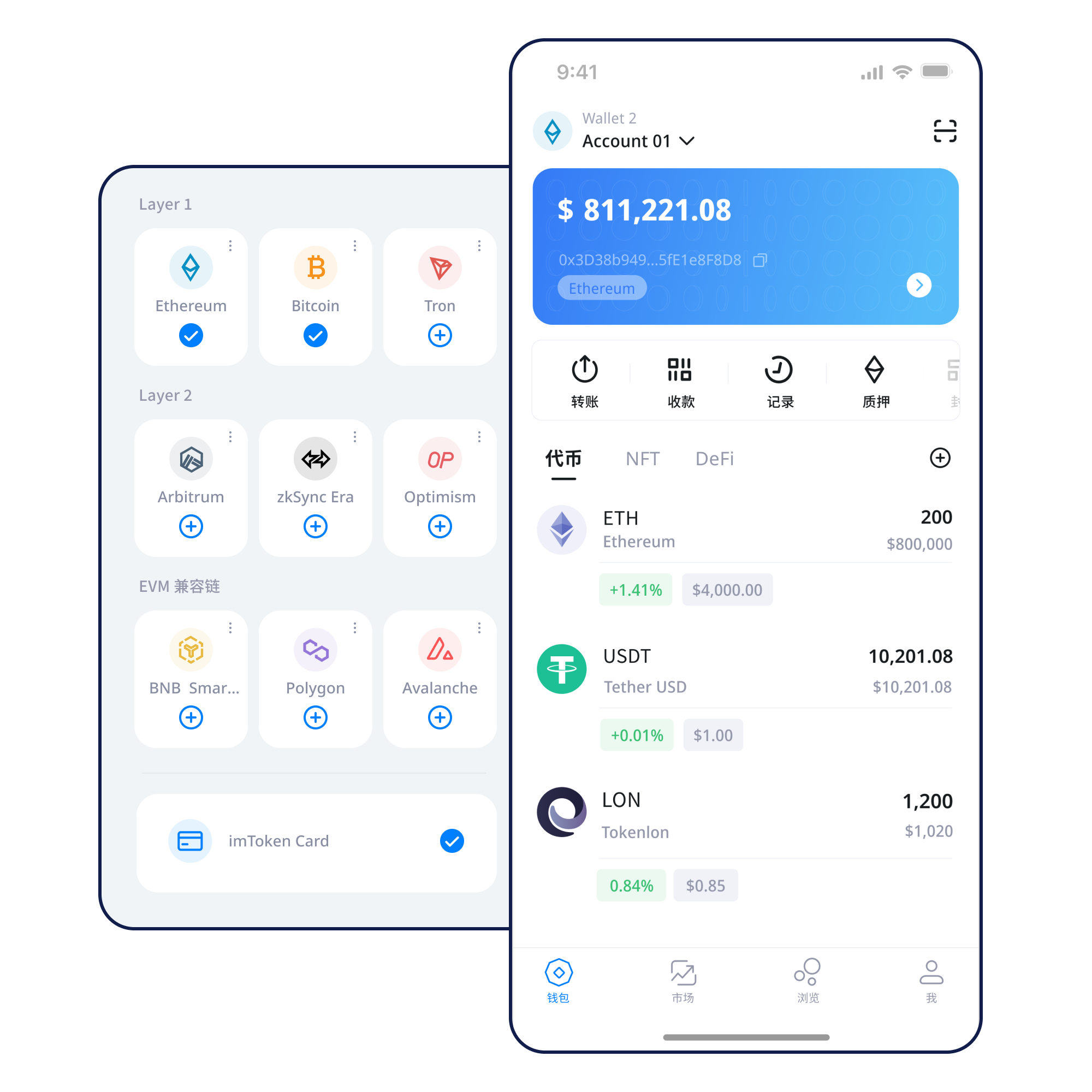
Manage access to assets across multiple networks while keeping network differences, address checks and confirmations visible.
Manage multi-chain assets, understand network choices, transfer and receive, connect to DApps, review approvals and learn wallet security.
Understand account creation and the role of seed phrases before you begin.
Learn more →Manage access to assets across multiple networks while keeping network differences, address checks and confirmations visible.
Review receiving address, network, amount, gas and transaction hash.
Mobile access to assets, networks and transaction history.
Use browser connections for DApps, review permissions carefully and disconnect connections you no longer need.
Keep seed phrases and private keys offline and private.
Each blockchain keeps its own balances, fees and confirmations. A wallet can present them together without merging them.
Transactions are broadcast, included in blocks and gain confirmations as additional blocks are produced.
Compatible networks can share address formats and contract patterns while maintaining separate gas assets and state.
Moving between layers can involve bridges, settlement delays and smart-contract risk.
Use the official download entry and verify the page.
Understand where keys come from and who controls them.
Keep seed phrases offline and private.
Verify the network before receiving or sending.
Review address, amount and gas before signing.
Keep transaction hashes and revoke unnecessary approvals.
Connecting a wallet does not mean every later signature or approval should be accepted.
Read the Web3 guide →Keep seed phrases and private keys under your own control. Verify addresses, networks, signatures and approvals. Confirmed on-chain transactions generally cannot be reversed by the wallet alone, and third-party DApps or smart contracts can carry risk.
Open Security Center →Start with addresses, seed phrases, private keys, networks, gas, transaction hashes, DApps and approvals. The goal is to understand what the wallet is asking you to do, not just where to click.
Start learning →How blocks and confirmations shape transaction status.
Why compatible networks can look similar but remain separate.
Understand bridges, settlement and network selection.
Review contracts, allowance scope and revocation.
Validators participate in Ethereum proof of stake. Rewards vary with protocol and network conditions and are not guaranteed.
Learn the basics →Exit queues, validator penalties, smart-contract risk, waiting periods, market volatility and third-party service risk all matter.
PoS & Validators →Wallet workflow and interface guidance for common tasks.
Reminders to verify network selection and transaction status.
Guidance on reviewing token approvals and signatures.
Risk-aware explanations of proof of stake and validator participation.
No. Seed phrases and private keys are controlled by the user.
Balances and transactions belong to specific blockchain networks.
A public identifier used to verify an on-chain transaction.
No. Connection, signatures, approvals and transactions are different actions.
No. Rewards can change and validators may face network penalties.
Normally not by the wallet alone.
Use the unified download entry. Never share your seed phrase or private key during a download or setup process.
Download imtoken